Top 5 Project Management Tools That Can Transform Your Team's Workflow
In today’s fast-paced business environment, choosing the right project management tools is crucial for enhancing your team's productivity. Project management tools provide collaborative features that facilitate communication, task assignment, and deadline tracking, all of which can significantly streamline workflows. Here are the Top 5 Project Management Tools that can transform your team’s workflow:
- Trello: Renowned for its user-friendly interface, Trello utilizes boards, lists, and cards to help teams easily organize tasks. Its visual timeline makes tracking progress simple and engaging.
- Asana: Perfect for teams of all sizes, Asana offers customizable workflows, ensuring that every team member knows their responsibilities. Its robust reporting features provide insights into project performance.
- Jira: Designed specifically for software development teams, Jira helps manage agile projects using backlogs and sprints, making it an ideal choice for tech-savvy organizations.
- Basecamp: Basecamp encourages team collaboration through message boards, to-do lists, and file sharing, making it excellent for project transparency.
- Smartsheet: As a versatile platform, Smartsheet combines project management with familiar spreadsheet functionalities, enabling teams to manage complex projects efficiently.
How to Choose the Right Project Management Tool for Your Team's Needs
Choosing the right project management tool for your team’s needs is crucial for enhancing productivity and streamlining workflows. Start by assessing the specific requirements of your team by considering factors such as project complexity, team size, and collaboration needs. For instance, a small team working on straightforward projects might benefit from simple tools like Trello or Asana, which offer intuitive interfaces and essential features. In contrast, larger teams managing complex projects may require more robust solutions like Smartsheet or Jira. Conducting a thorough analysis will help you narrow down options that align with your team’s workflows.
Next, consider the collaboration features that your team will benefit from, such as file sharing, messaging, and real-time updates. Many tools, such as ClickUp, integrate with communication platforms like Slack or Microsoft Teams, making collaboration seamless. Additionally, review the pricing structures of various tools to ensure they fit within your budget. Remember to check for trial periods or demos to test out the tool before committing. For more detailed guidance on evaluating project management tools, you may refer to this insightful Atlassian article that outlines best practices.
The Impact of Project Management Tools on Team Collaboration and Success
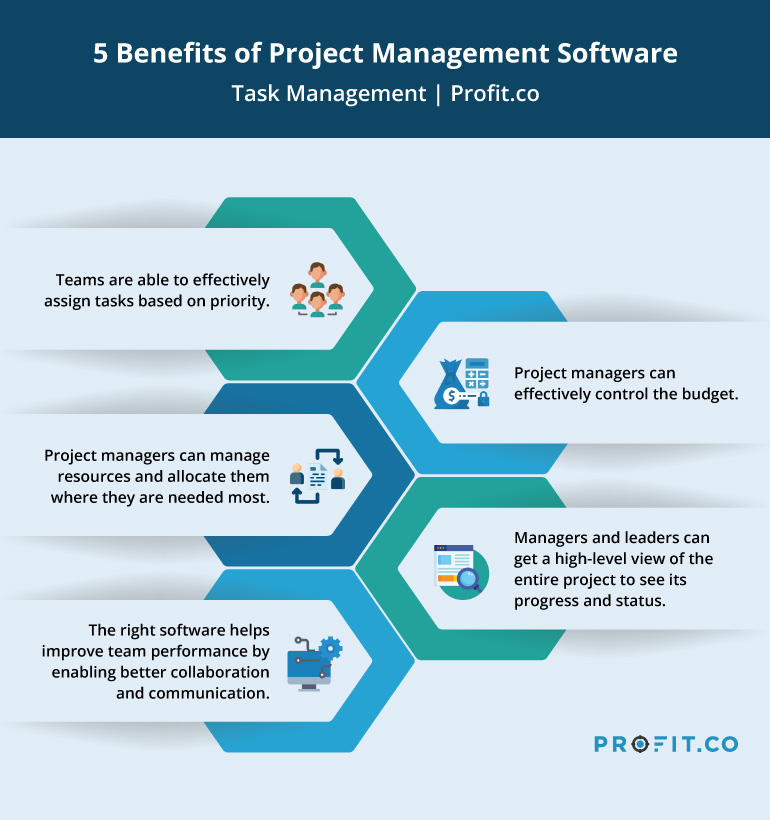
The integration of project management tools has revolutionized the way teams collaborate and achieve success. These tools, such as Trello, Asana, and Microsoft Project, provide a centralized platform where team members can share updates, assign tasks, and track progress in real-time. By utilizing these platforms, organizations have reported a significant increase in productivity and efficiency, allowing teams to meet deadlines more consistently. In fact, according to a study conducted by Wrike, 84% of project managers reported improved communication as a primary benefit of adopting these tools.
Moreover, project management tools foster a culture of accountability and transparency within teams. With features such as task assignments and progress tracking, every team member can easily see their responsibilities and how they contribute to the overall project goals. This clarity not only motivates individuals but also enhances team collaboration as members can readily identify who to approach for assistance or clarification. A study from Smartsheet noted that effective tool implementation leads to a 20% improvement in project success rates, emphasizing the essential role these platforms play in facilitating teamwork and achieving organizational objectives.